

158 Students
Power Point Presentation: Slide Creation helps learners plan, design, organise, and deliver clear, professional PowerPoint presentations. It is suitable for students, professionals, teachers, trainers, entrepreneurs, marketing teams, and beginners who want to communicate ideas more effectively. Learners will develop practical presentation skills and greater confidence in creating and delivering engaging slides. Creating an effective presentation involves more than adding text …
Power Point Presentation: Slide Creation helps learners plan, design, organise, and deliver clear, professional PowerPoint presentations. It is suitable for students, professionals, teachers, trainers, entrepreneurs, marketing teams, and beginners who want to communicate ideas more effectively. Learners will develop practical presentation skills and greater confidence in creating and delivering engaging slides.
Creating an effective presentation involves more than adding text to slides. This course teaches learners how to organise information, identify key messages, select suitable visuals, and create a logical presentation flow. It also covers slide structure, layout design, typography, colour use, image placement, and content organisation.
Learners can study at their own pace through flexible online learning with lifetime access, tutor support, and certificate options. The course supports academic, business, workplace, training, marketing, and personal projects. Enrol today to improve your PowerPoint skills and create engaging, organised, and professional presentations with support from OTA.
This course is ideal for:
All of our courses, including this Power Point Presentation: Slide Creation Course, are fully accredited, providing you with up-to-date skills and knowledge and helping you to become more competent and effective in your chosen field.
All of our courses are accredited by the CPD Quality Standards as conforming to universally accepted Continuing Professional Development (CPD) guidelines.
The Quality Licence Scheme (QLS) is a trusted endorsement framework that certifies high-quality, non-regulated training programmes across various sectors.

The Association of Healthcare Trainers (AoHT) promotes high-quality healthcare training, supporting providers to deliver relevant, industry-aligned education and improve professional standards.
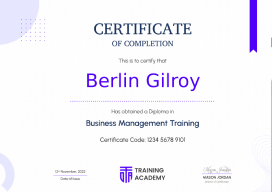
Once you’ve successfully completed your course, you will immediately be sent a digital certificate. Also, you can have your printed certificate delivered by post (shipping cost CA$9.99). All of our courses are fully accredited, providing you with up-to-date skills and knowledge and helping you to become more competent and effective in your chosen field.
This unit introduces learners to the fundamentals of creating effective presentations. It explains the purpose of presentations, the importance of planning, and how a well-organised slide structure can improve communication.Learners will become familiar with the basic concepts behind presentation creation and understand how good preparation supports better results.
This unit focuses on organising ideas before creating slides. Learners will explore methods for identifying key messages, arranging information logically, and creating a presentation flow that is easy for audiences to follow.The unit helps learners understand how planning content can improve clarity and effectiveness.
This unit explores the role of visuals in creating engaging presentations. Learners will discover how images, graphics, layouts, and other visual elements can support communication and make slides more interesting.The module focuses on creating balanced presentations where visuals and information work together effectively.
The additional material provides further support to help learners strengthen their presentation creation knowledge. It offers extra resources and guidance that can help learners continue improving their slide design approach.Learners can revisit the materials during their study period to reinforce key concepts.
Power Point Presentation: Slide Creation is an online course that teaches learners how to plan, design, and organise effective presentations. It covers presentation structure, message planning, and visual improvements to help learners create better slides.
This course is suitable for students, professionals, teachers, entrepreneurs, and anyone who needs to create presentations. It helps beginners and experienced users improve their approach to slide planning and design.
Learners will study how to organise presentation messages, improve slide layouts, select visuals, and create presentations that communicate information clearly. The course focuses on improving the overall quality and structure of slides.
Yes, this course is available online and allows learners to study at their own pace. The flexible format makes it suitable for people balancing learning with work, education, or personal commitments.
An online ppt maker is a digital tool that helps users create presentations using templates, design features, and editing options. These tools can support faster slide creation while helping users organise their content effectively.
Yes, the course is beginner-friendly and introduces presentation creation step by step. Learners do not need advanced design experience to start building their knowledge of PowerPoint slides.
| Unit 01- Introduction and Welcome | |||
| Introduction | 00:03:00 | ||
| Unit 02 - Map Out Your Message | |||
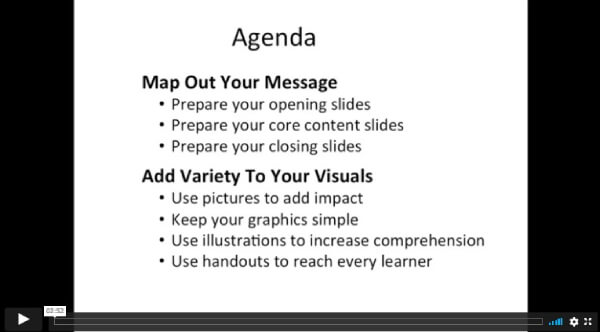
| Map Out Your Message Introduction | 00:14:00 | ||
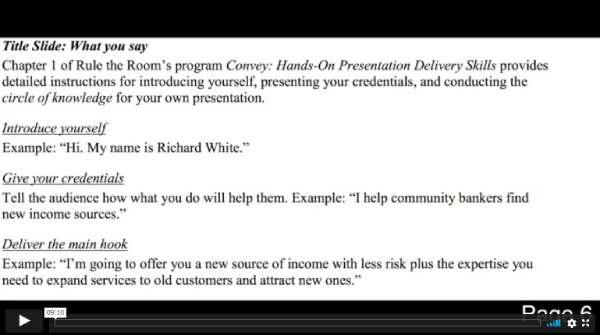
| Prepare Your Opening Slides | 00:09:00 | ||
| Prepare Your Opening Slides Activity | 00:04:00 | ||
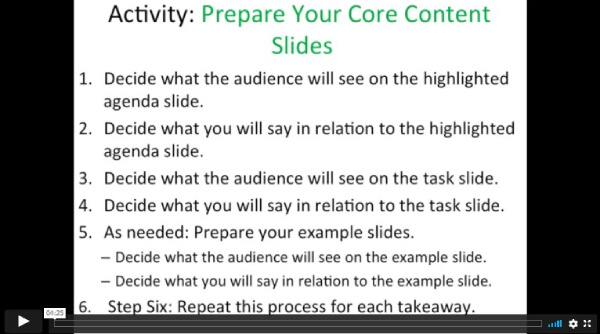
| Prepare Your Core Content Slides | 00:15:00 | ||
| Prepare Your Core Content Slides Activity | 00:04:00 | ||
| Prepare Your Closing Slides | 00:06:00 | ||
| Prepare Your Closing Slides Activity | 00:05:00 | ||
| Unit 03 - Add Variety to Your Visuals | |||
| Add Variety to Your Visuals Intro | 00:06:00 | ||
| Use Pictures to Add Impact | 00:17:00 | ||
| Use Pictures to Add Impact Activity | 00:04:00 | ||
| Keep Graphics Simple | 00:07:00 | ||
| Keep Graphics Simple Activity | 00:03:00 | ||
| Use Illustrations to Increase Comprehension | 00:07:00 | ||
| Use Illustrations to Increase Comprehension Activity | 00:04:00 | ||
| Use Handouts to Reach Every Learner | 00:08:00 | ||
| Your Turn Activity | 00:02:00 | ||
| Additional Material | |||
| Game Changing PowerPoints Workbook | 00:05:00 | ||
| Game Changing PowerPoints – Workbook | 00:00:00 | ||
$125 Original price was: $125.$20Current price is: $20. ex VAT
SAVE 84% - OFFER ENDS SOON
![]() |
01 Year of full Course access
Intermediate
Endorsed Certificate of Compleiton