
8 Students
Food Safety Level 3 Course Overview Food Safety Level 3 is an essential online course designed to address the primary issue of ensuring the highest food safety standards within the food sector. With a focus on meeting the requirements of current food safety legislation and developing comprehensive food safety management systems, this course provides several benefits to both food professionals …
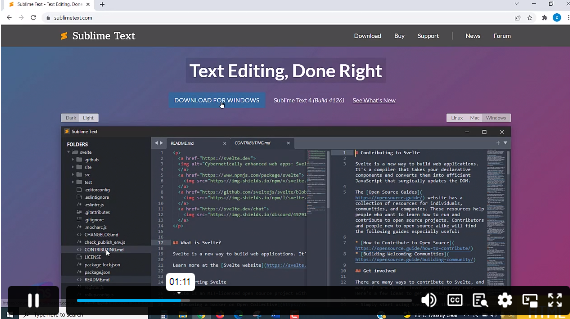
HTML and CSS Coding Course teaches you everything on the topic thoroughly from scratch so you can achieve a professional certificate for free to showcase your achievement in professional life. This HTML and CSS Coding Course is a comprehensive, instructor-guided course, designed to provide a detailed understanding of the nature of the related sector and your key roles within it.
To become successful in your profession, you must have a specific set of skills to succeed in today’s competitive world. In this in-depth training course, you will develop the most in-demand skills to kickstart your career, as well as upgrade your existing knowledge & skills.
The training materials of this course are available online for you to learn at your own pace and fast-track your career with ease.
Anyone with a knack for learning new skills can take this HTML and CSS Coding Course. While this comprehensive training is popular for preparing people for job opportunities in the relevant fields, it also helps to advance your career for promotions.
Once you’ve successfully completed your course, you will immediately be sent a digital certificate. Also, you can have your printed certificate delivered by post (shipping cost £3.99). All of our courses are fully accredited, providing you with up-to-date skills and knowledge and helping you to become more competent and effective in your chosen field. Our certifications have no expiry dates, although we do recommend that you renew them every 12 months.
All of our courses, including this HTML and CSS Coding Course, are fully accredited, providing you with up-to-date skills and knowledge and helping you to become more competent and effective in your chosen field.
The detailed curriculum outline of our HTML and CSS Coding Course is as follows:
| Getting Started | |||
| Introduction | 00:03:00 | ||
| Course Curriculum | 00:07:00 | ||
| How to Get Course requirements | 00:02:00 | ||
| Getting Started on Windows, Linux or Mac | 00:02:00 | ||
| How to ask a Great Questions | 00:01:00 | ||
| FAQ’s | 00:01:00 | ||
| Setting up Development Environment | |||
| Introduction | 00:05:00 | ||
| Choosing Code Editor | 00:06:00 | ||
| Installing Code Editor (Sublime Text) | 00:04:00 | ||
| Overview of a Webpage | 00:05:00 | ||
| Full HTML Code Page | 00:07:00 | ||
| First Hello World! Webpage | 00:09:00 | ||
| HTML Fundamentals | |||
| Introduction | 00:03:00 | ||
| Heading | 00:09:00 | ||
| Paragraph | 00:08:00 | ||
| Formatting Text | 00:12:00 | ||
| List Items Unordered | 00:05:00 | ||
| List Items Ordered | 00:04:00 | ||
| Classes | 00:09:00 | ||
| ID’s in CSS | 00:06:00 | ||
| Comments in HTML | 00:04:00 | ||
| Summary | 00:04:00 | ||
| HTML Intermediate | |||
| Introduction | 00:02:00 | ||
| Images | 00:12:00 | ||
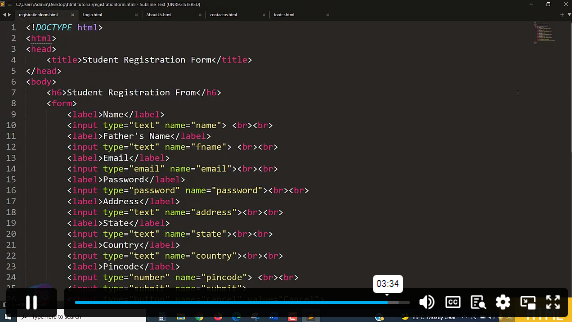
| Forms | 00:05:00 | ||
| Form Actions | 00:04:00 | ||
| Br tag | 00:03:00 | ||
| Marquee | 00:06:00 | ||
| Text area | 00:06:00 | ||
| Tables | 00:06:00 | ||
| Links | 00:07:00 | ||
| Navbar – Menu | 00:04:00 | ||
| HTML Entities | 00:05:00 | ||
| Div tag | 00:06:00 | ||
| Google Maps | 00:07:00 | ||
| Summary | 00:02:00 | ||
| HTML Advanced | |||
| Introduction | 00:02:00 | ||
| HTML5 Audio | 00:07:00 | ||
| HTML5 Video | 00:05:00 | ||
| Progress Bar | 00:04:00 | ||
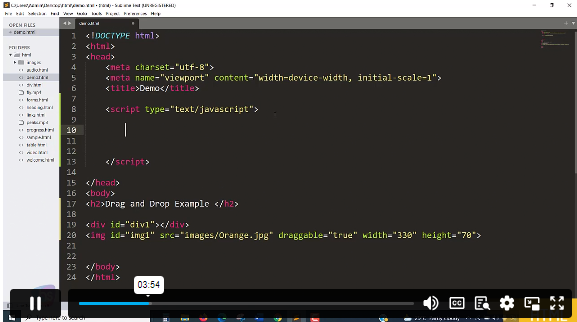
| Drag and Drop | 00:18:00 | ||
| Canvas | 00:06:00 | ||
| I frames | 00:05:00 | ||
| Input Types | 00:04:00 | ||
| Input Attributes | 00:06:00 | ||
| YouTube Video Linking | 00:04:00 | ||
| Creating Responsive Page | 00:05:00 | ||
| Summary | 00:02:00 | ||
| HTML Expert | |||
| Introduction | 00:02:00 | ||
| Registration Form | 00:04:00 | ||
| Login Form | 00:04:00 | ||
| About Us Form | 00:02:00 | ||
| Contact Us Form | 00:10:00 | ||
| Footer Form | 00:03:00 | ||
| Integrate All Together | 00:07:00 | ||
| Coding Exercise | 00:01:00 | ||
| Solution for Coding Exercise | 00:02:00 | ||
| Summary | 00:02:00 | ||
| HTML Website Project | |||
| Introduction | 00:02:00 | ||
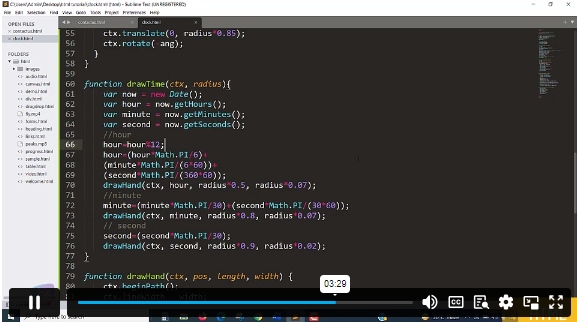
| Challenge – HTML 5 Clock Face with Numbers | 00:05:00 | ||
| Project overview | 00:03:00 | ||
| Conclusion on Project | 00:01:00 | ||
| Summary | 00:02:00 | ||
| CSS Fundamentals | |||
| Introduction | 00:03:00 | ||
| CSS Syntax | 00:05:00 | ||
| Creating a first page with CSS Style | 00:13:00 | ||
| Inline CSS | 00:06:00 | ||
| Internal CSS | 00:05:00 | ||
| CSS External | 00:10:00 | ||
| CSS Classes | 00:09:00 | ||
| CSS IDs | 00:06:00 | ||
| Colors | 00:08:00 | ||
| Backgrounds | 00:04:00 | ||
| Floating | 00:09:00 | ||
| Positioning | 00:06:00 | ||
| Margins | 00:07:00 | ||
| Padding | 00:04:00 | ||
| Borders | 00:03:00 | ||
| Summary | 00:02:00 | ||
| CSS Intermediate | |||
| Introduction | 00:02:00 | ||
| Styling Text | 00:07:00 | ||
| Aligning Text | 00:04:00 | ||
| Styling Links | 00:10:00 | ||
| Font Family | 00:07:00 | ||
| Font Styles | 00:03:00 | ||
| Applying Google Fonts | 00:07:00 | ||
| Box Model | 00:09:00 | ||
| Icons | 00:09:00 | ||
| Tables | 00:16:00 | ||
| Navigation-Menu | 00:11:00 | ||
| Dropdowns | 00:15:00 | ||
| Summary | 00:02:00 | ||
| CSS Advanced | |||
| Introduction | 00:02:00 | ||
| Advanced Selectors | 00:05:00 | ||
| Forms | 00:17:00 | ||
| Website Layout | 00:21:00 | ||
| Rounded Corners | 00:08:00 | ||
| Color Keywords | 00:06:00 | ||
| Animations | 00:08:00 | ||
| Pseudo Classes | 00:03:00 | ||
| Gradients | 00:03:00 | ||
| Shadows | 00:03:00 | ||
| Calculations | 00:05:00 | ||
| Creating Responsive Page | 00:06:00 | ||
| Summary | 00:02:00 | ||
| CSS Expert | |||
| Introduction | 00:01:00 | ||
| Button Styles | 00:06:00 | ||
| Flexbox | 00:14:00 | ||
| CSS Grid | 00:15:00 | ||
| Pagination | 00:07:00 | ||
| Multiple Columns | 00:06:00 | ||
| Image Reflection | 00:02:00 | ||
| UI – UX Design | 00:09:00 | ||
| Social Media Icons | 00:08:00 | ||
| External CSS Style adding | 00:06:00 | ||
| Coding Exercise | 00:01:00 | ||
| Solution for Coding Exercise | 00:03:00 | ||
| Summary | 00:02:00 | ||
| CSS Website Project | |||
| Introduction | 00:01:00 | ||
| CSS Project Getting | 00:05:00 | ||
| CSS Project Overview | 00:08:00 | ||
| Summary | 00:01:00 | ||
| Publish Your Website for Live | |||
| Introduction | 00:02:00 | ||
| Installing Free FTP Solution (FileZilla) | 00:04:00 | ||
| Setting Up FTP (File Transfer Protocol) | 00:03:00 | ||
| Publish Website to Hosting Server | 00:04:00 | ||
| Summary | 00:01:00 | ||
$125 Original price was: $125.$20Current price is: $20. ex VAT
SAVE 84% - OFFER ENDS SOON
![]() |