


1 Students
Food Safety Level 3 Course Overview Food Safety Level 3 is an essential online course designed to address the primary issue of ensuring the highest food safety standards within the food sector. With a focus on meeting the requirements of current food safety legislation and developing comprehensive food safety management systems, this course provides several benefits to both food professionals …
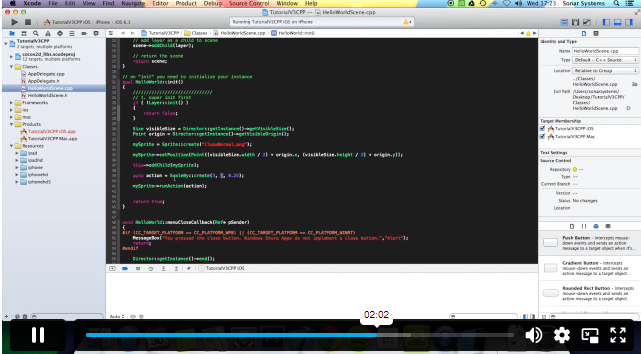
Game Development using Cocos2d-x v3 C++ Course teaches you everything on the topic thoroughly from scratch so you can achieve a professional certificate for free to showcase your achievement in professional life. This Game Development using Cocos2d-x v3 C++ Course is a comprehensive, instructor-guided course, designed to provide a detailed understanding of the nature of the related sector and your key roles within it.
To become successful in your profession, you must have a specific set of skills to succeed in today’s competitive world. In this in-depth training course, you will develop the most in-demand skills to kickstart your career, as well as upgrade your existing knowledge & skills.
The training materials of this course are available online for you to learn at your own pace and fast-track your career with ease.
Anyone with a knack for learning new skills can take this Game Development using Cocos2d-x v3 C++ Course. While this comprehensive training is popular for preparing people for job opportunities in the relevant fields, it also helps to advance your career for promotions.
Once you’ve successfully completed your course, you will immediately be sent a digital certificate. Also, you can have your printed certificate delivered by post (shipping cost £3.99). All of our courses are fully accredited, providing you with up-to-date skills and knowledge and helping you to become more competent and effective in your chosen field. Our certifications have no expiry dates, although we do recommend that you renew them every 12 months.
All of our courses, including this Game Development using Cocos2d-x v3 C++ Course, are fully accredited, providing you with up-to-date skills and knowledge and helping you to become more competent and effective in your chosen field.
The detailed curriculum outline of our Game Development using Cocos2d-x v3 C++ Course is as follows:
| Section 01: Introduction | |||
| Course Introduction | 00:03:00 | ||
| Section 02: Setting Up | |||
| Setting Up For iOS | 00:05:00 | ||
| Setting Up For Android on Mac | 00:11:00 | ||
| Setting Up For Android on Windows | 00:13:00 | ||
| Multi Resolution Support | 00:16:00 | ||
| Section 03: Adding a Sprite | |||
| Adding a Sprite | 00:04:00 | ||
| Section 04: Positioning | |||
| Positioning Using MoveBy | 00:03:00 | ||
| Positioning Using MoveTo | 00:03:00 | ||
| Positioning Using JumpBy | 00:03:00 | ||
| Positioning Using JumpTo | 00:03:00 | ||
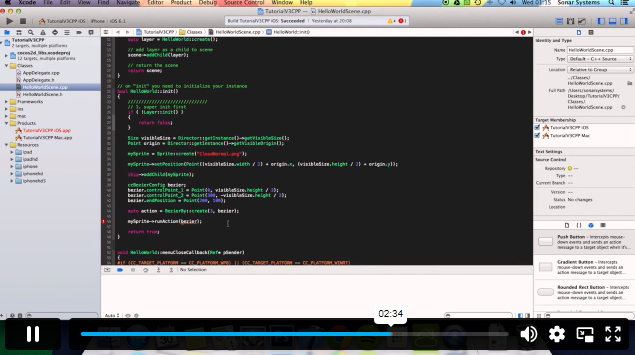
| Positioning Using BezierBy | 00:04:00 | ||
| Positioning Using BezierTo | 00:03:00 | ||
| Positioning Using Place | 00:02:00 | ||
| Section 05: Scaling | |||
| Scaling Using ScaleBy | 00:03:00 | ||
| Scaling Using ScaleTo | 00:03:00 | ||
| Section 06: Rotation | |||
| Rotating Using RotateBy | 00:03:00 | ||
| Rotating Using RotateTo | 00:03:00 | ||
| Section 07: Tinting | |||
| Tinting Using TintBy | 00:03:00 | ||
| Tinting Using TintTo | 00:02:00 | ||
| Section 08: Fading | |||
| Fading Using FadeTo | 00:02:00 | ||
| Fading Using FadeIn | 00:02:00 | ||
| Fading Using FadeOut | 00:02:00 | ||
| Section 09: Sequencing | |||
| Repeat | 00:04:00 | ||
| RepeatForever | 00:03:00 | ||
| Sequence | 00:04:00 | ||
| Section 10: Skewing | |||
| Skewing Using SkewBy | 00:02:00 | ||
| Skewing Using SkewTo | 00:02:00 | ||
| Section 11: Audio | |||
| Playing Sound Effect | 00:06:00 | ||
| Playing Sound Effect Repeatedly | 00:04:00 | ||
| Setting Sound Effect Volume | 00:03:00 | ||
| Stopping Sound Effect | 00:05:00 | ||
| Playing Music | 00:04:00 | ||
| Stopping Music | 00:03:00 | ||
| Pausing and Resuming Music | 00:04:00 | ||
| Setting Music Volume | 00:03:00 | ||
| Section 12: Touch Input | |||
| Setting Up Single Touch Events | 00:04:00 | ||
| Touch Began Using onTouchBegan | 00:05:00 | ||
| Touch Moved Using onTouchMoved | 00:03:00 | ||
| Touch Ended Using onTouchEnded | 00:03:00 | ||
| Setting Up Multi Touch Events | 00:05:00 | ||
| Touches Began Using onTouchesBegan | 00:02:00 | ||
| Touches Moved Using onTouchesMoved | 00:03:00 | ||
| Touches Ended Using onTouchesEnded | 00:03:00 | ||
| Section 13: Menus | |||
| Setting up A Menu | 00:03:00 | ||
| Adding a Menu Font Item | 00:07:00 | ||
| Adding a Menu Image Item | 00:05:00 | ||
| Menu Alignment | 00:02:00 | ||
| Section 14: Scenes | |||
| Creating a New Scene | 00:04:00 | ||
| Pushing a Scene | 00:05:00 | ||
| Popping a Scene | 00:03:00 | ||
| Replace a Scene | 00:05:00 | ||
| Scene Transitions | 00:03:00 | ||
| Section 15: Animations | |||
| Sprite Animations | 00:04:00 | ||
| Section 16: Accelerometer | |||
| Accelerometer | 00:05:00 | ||
| Section 17: Cocos Console | |||
| Creating a New Project | 00:02:00 | ||
| Compiling a Project | 00:07:00 | ||
| Running a Project | 00:07:00 | ||
| Deploying a Project | 00:06:00 | ||
$125 Original price was: $125.$20Current price is: $20. ex VAT
SAVE 84% - OFFER ENDS SOON
![]() |
01 Year of full Course access
Intermediate
Endorsed Certificate of Compleiton