

Recommended renewal: 3 years.
Our certifications have no expiry dates, but we recommend renewing them to stay up to date with industry best practices.
Digital Marketing (Brand awareness,Copywriting, Google Adwords, Video Marketing)
★
★
★
★
★
★
★
★
★
★
4.7
(100 Reviews)
 253 Students
Why do some brands become instantly recognisable while others struggle to get noticed online? In today’s digital-first economy across Canada, success is no longer just about having a product — it’s about visibility, storytelling, and strategic online presence. This Digital Marketing Course brings together brand building, copywriting, advertising, and video marketing into one structured learning path. Designed for beginners, entrepreneurs, …
Why do some brands become instantly recognisable while others struggle to get noticed online? In today’s digital-first economy across Canada, success is no longer just about having a product — it’s about visibility, storytelling, and strategic online presence. This Digital Marketing Course brings together brand building, copywriting, advertising, and video marketing into one structured learning path.
Designed for beginners, entrepreneurs, job seekers, and aspiring marketers, the course explores how businesses attract attention, build trust, and convert audiences using modern digital platforms. From crafting compelling messages to running paid ads and growing social media presence, learners gain a complete understanding of how digital ecosystems work together.
Study online at your own pace while developing practical knowledge of brand awareness, content strategy, Google Ads, SEO, and social media marketing. Whether you’re building your own brand or aiming to enter the marketing industry, this course helps you understand how real digital growth happens in today’s competitive online space.
Please note: This Digital Marketing Course (Brand Awareness, Copywriting, Google Ads & Video Marketing) Course only gives you the theoretical knowledge that you need to excel in this field. This Course doesn’t entitle you to practise as a professional in this specific field.
- Extra Included :
- Free Accredited Certificate Included
- Instant e-certificate and hard copy dispatch by next working day
- Fully online, interactive course with audio voiceover
- Self-paced learning and laptop, tablet, smartphone-friendly
- 24/7 Learning Assistance
- Discounts on bulk purchases
Last audited and updated on: 15th April 2026
Sneak Peek
Core Learning Outcomes
- Gain understanding of digital marketing and brand awareness strategies
- Understand how businesses define target audiences and positioning
- Learn how to create content using copywriting, blogging, and SEO
- Develop skills in social media marketing and paid advertising
- Build knowledge of Google Ads, analytics, and performance tracking
- Recognise how video marketing and content strategy drive engagement
Who Should Take This Course
This course is ideal for:
- Beginners interested in digital marketing careers
- Entrepreneurs building online businesses or brands
- Students exploring marketing, advertising, or media fields
- Freelancers looking to expand digital service offerings
- Job seekers aiming for marketing roles in Canada
- Anyone interested in online branding and content strategy
Why Take This Course
- Learn complete digital marketing strategies in one structured program
- Build skills in SEO, ads, branding, and social media marketing
- Study online with flexible self-paced learning access
- Suitable for beginners with no prior marketing experience required
- Support career growth in Canada’s growing digital economy
- Receive recognised certification for professional development
Job Opportunities & Salary (CAD)
- Digital Marketing Assistant – CAD $45,000 – $65,000
- Social Media Coordinator – CAD $42,000 – $60,000
- SEO Specialist – CAD $50,000 – $75,000
- Google Ads Specialist – CAD $55,000 – $85,000
- Content Marketing Executive – CAD $48,000 – $72,000
- Digital Marketing Manager – CAD $65,000 – $110,000
Entry Requirements
- No formal qualifications required
- Basic English reading and writing skills
- Basic computer and internet knowledge
- Interest in marketing, branding, or online business
- Access to a device and internet connection for online learning
- Suitable for beginners and learners across Canada
Accreditation
All of our courses, including this Digital Marketing Course, are fully accredited, providing you with up-to-date skills and knowledge and helping you to become more competent and effective in your chosen field.
CPD Accredited
All of our courses are accredited by the CPD Quality Standards as conforming to universally accepted Continuing Professional Development (CPD) guidelines.
QLS Endorsed
The Quality Licence Scheme (QLS) is a trusted endorsement framework that certifies high-quality, non-regulated training programmes across various sectors.

Association of Healthcare Trainers
The Association of Healthcare Trainers (AoHT) promotes high-quality healthcare training, supporting providers to deliver relevant, industry-aligned education and improve professional standards.
Certification
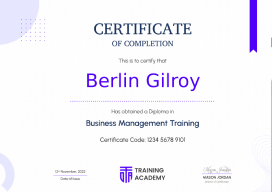
Once you’ve successfully completed your course, you will immediately be sent a digital certificate. Also, you can have your printed certificate delivered by post (shipping cost CA$9.99). All of our courses are fully accredited, providing you with up-to-date skills and knowledge and helping you to become more competent and effective in your chosen field.
↻
Course Curriculum
Digital marketing is no longer just an option — it is the backbone of how modern businesses grow and compete in today’s online economy. This opening module sets the foundation by helping learners understand how digital platforms have transformed traditional marketing into a data-driven, fast-moving ecosystem. You’ll explore how brands in Canada now rely on online visibility, audience targeting, and content strategy to stay relevant and competitive in crowded markets.
Before any campaign succeeds, clarity is essential. This module focuses on identifying what a business truly stands for and who it is trying to reach. Learners explore how audience behaviour, interests, and online habits shape marketing decisions, and how clear positioning helps brands communicate messages that feel relevant instead of random.
A strong brand is instantly recognisable without needing explanation. This section explores how visual identity, tone of voice, messaging consistency, and emotional positioning work together to create trust and recognition. You’ll learn how brands build long-term relationships with audiences through identity, not just advertising.
A website is more than a digital brochure — it is the central hub of all online activity. This module explains how structure, navigation, design, and content flow influence user behaviour. Learners also understand how websites act as conversion engines, turning visitors into customers through strategic layout and messaging.
Despite the rise of social media, email remains one of the most powerful direct communication tools. This section explores how businesses use personalised messaging, automation, and segmentation to maintain long-term customer relationships and drive repeat engagement.
Every successful digital campaign relies on words that attract, engage, and persuade. This module connects content writing, blogging, and SEO into one ecosystem. Learners explore how search engines rank content, how blogs build authority, and how copywriting influences user action across websites and campaigns.
YouTube is more than a video platform — it is a search engine for visual content. This section explores how creators and brands use long-form video to build authority, explain products, and create consistent audience engagement over time.
Video content has become one of the strongest drivers of engagement and conversion. This module focuses on storytelling techniques, audience retention strategies, and how businesses use short-form and long-form videos to influence buying decisions.
Communities are at the heart of engagement-driven marketing. This section explores how Facebook groups are used to build trust, encourage discussion, and create loyal audiences around shared interests and brand ecosystems.
A Facebook page acts as a brand’s public identity. Learners explore how content strategy, engagement techniques, and consistent posting help businesses maintain visibility and interact with audiences effectively.
Paid advertising allows businesses to reach highly targeted audiences at scale. This module explains how ad campaigns are structured, how targeting works, and how performance is measured to improve return on investment.
Most users do not convert on their first visit. Retargeting focuses on re-engaging those users by showing tailored ads based on previous interactions, increasing the likelihood of conversion over time.
Local businesses depend heavily on visibility within their immediate communities. This module explores how location-based targeting, reviews, and engagement strategies help attract nearby customers effectively.
Search advertising places businesses directly in front of users actively looking for solutions. This module explains how keyword targeting, bidding systems, and ad relevance work together in paid search campaigns.
Twitter thrives on real-time communication. This section explores how brands use short, timely updates to engage audiences, participate in conversations, and build visibility through trending topics.
Instagram is driven by visual storytelling. Learners explore how images, reels, and interactive content help brands build emotional connections and grow engaged communities.
Pinterest functions as a discovery-based platform where users search for inspiration. This module explores how visual content drives long-term traffic and supports brand awareness through evergreen content.
LinkedIn focuses on professional networking and authority building. This section explains how individuals and businesses use thought leadership, content sharing, and networking to create opportunities.
Live streaming platforms create unfiltered, real-time engagement. This module explores how live content builds authenticity and allows brands to connect directly with audiences.
Live content has become a powerful engagement tool. Learners explore how real-time interaction increases trust, improves visibility, and strengthens audience relationships.
Audio content continues to grow as audiences seek on-the-go learning and entertainment. This section explores how podcasts build authority, storytelling depth, and niche audience engagement.
Quora is built on questions and knowledge sharing. This module explores how answering relevant questions strategically can drive traffic, build credibility, and increase brand visibility.
Marketing without data is guesswork. This module focuses on tracking user behaviour, analysing traffic sources, and understanding performance metrics to improve decision-making.
Even though platforms evolve and disappear, understanding their role helps marketers adapt faster. This module reflects on how earlier platforms influenced today’s digital marketing strategies and why adaptability is essential in a constantly changing digital environment.
FAQ
It is suitable for beginners, entrepreneurs, students, freelancers, and job seekers interested in marketing careers in Canada.
You will learn branding, audience targeting, content creation, SEO, email marketing, paid ads, analytics, and social media strategies.
Yes, many learners use digital marketing skills to offer freelance services in SEO, ads, content creation, and social media management.
Yes, it is beginner-friendly and requires no prior marketing knowledge.
Mastering these pillars prepares you for highly specialized roles. Brand awareness skills lead to careers as a Brand Strategist or Social Media Manager, while copywriting opens doors for Content Specialists and Copywriters. Expertise in Google Ads and Video Marketing is essential for Search Engine Marketing (SEM) Specialists and Media Buyers.
Mastering these pillars prepares you for highly specialized roles. Brand awareness skills lead to careers as a Brand Strategist or Social Media Manager, while copywriting opens doors for Content Specialists and Copywriters. Expertise in Google Ads and Video Marketing is essential for Search Engine Marketing (SEM) Specialists and Media Buyers.
Excellent
4.8/5
4.7 Average - 79 Reviews
★ Reviews
Olivia Kensington
Read More
This course made digital marketing feel simple and practical. The Facebook Ads and SEO modules were especially useful. I can already see improvement in my online campaigns.
Chloe Tremblay
Read More
Very informative and well-structured course. The lessons on blood collection methods and equipment were easy to understand.
Previous
Next
Course Curriculum
| Module 01: Introduction | |||
| Digital Marketing | FREE | 00:02:00 | |
| DMM Intro | 00:02:00 | ||
| Digital Marketing Strategy in 10 Minutes | 00:09:00 | ||
| Module 02: Define Your Business & Target Audience | |||
| Define your Purpose | 00:04:00 | ||
| Case Studies | 00:05:00 | ||
| Positioning Your Brand | 00:04:00 | ||
| Case studies – Positioning | 00:03:00 | ||
| Unique Selling Proposition | 00:06:00 | ||
| Personality | 00:02:00 | ||
| Case Study – Personality | 00:07:00 | ||
| Find Your Audience | 00:05:00 | ||
| Validate Your Business | 00:09:00 | ||
| Module 03: Brand Identity | |||
| Intro Brand Identity | 00:02:00 | ||
| Case Study – 3 Company Styles | 00:05:00 | ||
| Free Branding Tools | 00:08:00 | ||
| Learn Canva in 10 Minutes | 00:11:00 | ||
| Learn Photoshop in 30 Minutes | 00:26:00 | ||
| Module 04: Websites | |||
| Intro to Websites | 00:04:00 | ||
| Choose a Domain Name | 00:05:00 | ||
| Intro to WordPress Lessons | 00:01:00 | ||
| Purchase Hosting and Install WordPress | 00:06:00 | ||
| Navigating WordPress | 00:06:00 | ||
| Install and Activate Themes | 00:07:00 | ||
| Add a Static Home Page | 00:04:00 | ||
| Edit a Page & Change the Site Title | 00:17:00 | ||
| Add and Edit a Menu | 00:06:00 | ||
| Publish Website | 00:02:00 | ||
| Write a New Post & Organise Your Blog | 00:09:00 | ||
| Blog Page Design – Excerpts vs Full Content | 00:01:00 | ||
| YouTube Videos | 00:04:00 | ||
| Customise the Sidebar | 00:05:00 | ||
| Site icon | 00:02:00 | ||
| Add Site Icon with a Plugin | 00:02:00 | ||
| Make Your Website Responsive and Mobile Friendly | 00:03:00 | ||
| Customize Footer Information | 00:03:00 | ||
| Find, Install, and Activate Plugins | 00:07:00 | ||
| Backing Up Your Website | 00:05:00 | ||
| Securing Your Site from Attackers | 00:05:00 | ||
| Make Your Site SEO Friendly | 00:06:00 | ||
| Make Your Website Faster | 00:05:00 | ||
| See your Google Analytics in WordPress | 00:05:00 | ||
| Block Spam with Akismet | 00:03:00 | ||
| Pretty Link Redirects & Link Shortener | 00:03:00 | ||
| WordPress Commenting Systems & Plugins | 00:05:00 | ||
| Secure Contact Forms in WordPress | 00:07:00 | ||
| Free Email Marketing in WordPress | 00:11:00 | ||
| Add Social Sharing Buttons | 00:07:00 | ||
| What Pages Do You Need | 00:09:00 | ||
| Design a Home Page that Works | 00:09:00 | ||
| The Start Here and About Page | 00:06:00 | ||
| The Resource Page | 00:06:00 | ||
| Module 05: Email Marketing | |||
| Easy Email Marketing Funnel | 00:07:00 | ||
| Email Marketing Tools | 00:04:00 | ||
| Lead Magnets | 00:07:00 | ||
| Where to put opt-in forms | 00:06:00 | ||
| Segmenting and Tagging Your Subscribers | 00:05:00 | ||
| Email Sequences | 00:13:00 | ||
| Better Email Subject Lines | 00:04:00 | ||
| Using Analytics to Improve Emails | 00:07:00 | ||
| Case Study – 100 Subscribers in Less Then 1 Week | 00:06:00 | ||
| Module 06: Copywriting, Blogging & SEO | |||
| Copywriting Basics | 00:02:00 | ||
| A.I.D.A | 00:06:00 | ||
| Case Study of a Sales Page | 00:08:00 | ||
| 10 Commandments of Copywriting | 00:07:00 | ||
| Write Better Headlines | 00:05:00 | ||
| Write Quality Articles | 00:06:00 | ||
| Optimize Your Website SEO | 00:05:00 | ||
| Module 07: YouTube | |||
| Intro to YouTube | 00:07:00 | ||
| Case Study – YouTube Sales Funnel | 00:05:00 | ||
| YouTube SEO – Watch Time vs. Views | 00:04:00 | ||
| Keyword Research for YouTube Videos | 00:06:00 | ||
| Start Your New Channel | 00:03:00 | ||
| Channel Art and Icon | 00:07:00 | ||
| Channel Description | 00:03:00 | ||
| Customize Your Channel Design | 00:04:00 | ||
| Add a Channel Trailer | 00:02:00 | ||
| YouTube Channel Settings and Verification | 00:07:00 | ||
| Upload Defaults, Featured Content, and Channel Branding | 00:06:00 | ||
| Uploading Videos + Titles, Tages, Description | 00:12:00 | ||
| Cards and End Screens | 00:08:00 | ||
| Use YouTube Analytics to Grow Your Channel | 00:06:00 | ||
| Quickly Respond to Fans with the Community Tab | 00:02:00 | ||
| Live Streaming with YouTube Live | 00:04:00 | ||
| Free Music on YouTube Live | 00:02:00 | ||
| Create a YouTube Ad. | 00:05:00 | ||
| Spy on Competition with Social Blade | 00:04:00 | ||
| Module 08: Video Marketing | |||
| Intro to Video | 00:03:00 | ||
| Video Equipment for Beginners | 00:08:00 | ||
| Tools to Make Your Videos More Professional | 00:04:00 | ||
| Structure a Video that Sells | 00:04:00 | ||
| Intro to Video Production Bootcamp | 00:01:00 | ||
| What Makes a Great Video? | 00:03:00 | ||
| What Type of Video Should You Make? | 00:03:00 | ||
| Great Video Ideas | 00:05:00 | ||
| Plan Your Video | 00:04:00 | ||
| The Pre-Production Checklist | 00:04:00 | ||
| Introduction | 00:02:00 | ||
| Camera Options | 00:06:00 | ||
| Microphone Options | 00:05:00 | ||
| Lighting Options | 00:02:00 | ||
| Editing Tools | 00:02:00 | ||
| Exposing Your Shot | 00:05:00 | ||
| Compose Your Shots | 00:05:00 | ||
| Filming Yourself | 00:01:00 | ||
| Getting the Right Shot | 00:04:00 | ||
| Choose a Background | 00:03:00 | ||
| My Office Video Setup | 00:03:00 | ||
| Exposing with DSLR and Mirrorless Cameras | 00:07:00 | ||
| Focus with DSLR and Mirrorless Cameras | 00:03:00 | ||
| Know Your Lenses | 00:04:00 | ||
| Shoot with Your Webcam | 00:06:00 | ||
| Stabilize Your Shots | 00:03:00 | ||
| Shoot with your Smartphone | 00:05:00 | ||
| Record Great Screencast Videos | 00:04:00 | ||
| Choose the Right Microphone | 00:03:00 | ||
| Record Better Audio in Any Environment | 00:01:00 | ||
| Lavalier Microphones | 00:03:00 | ||
| Shotgun Microphones | 00:01:00 | ||
| Recording Audio with Your Computer | 00:02:00 | ||
| Lighting | 00:01:00 | ||
| Use Natural Light | 00:04:00 | ||
| Three Point Lighting | 00:07:00 | ||
| Module 09: Facebook Groups (Social Media Marketing) | |||
| Intro to FB Groups | 00:02:00 | ||
| Create Your Group – Walk Through | 00:11:00 | ||
| Tips for a More Engaged Facebook Group | 00:08:00 | ||
| Scheduling Posts, Live Video, and More | 00:04:00 | ||
| Module 10: Facebook Pages (Social Media Marketing) | |||
| Creating an Optimized Facebook Page for your Business | 00:06:00 | ||
| Creating a Stunning Facebook page for your business | 00:01:00 | ||
| Adding Essential Information to your Facebook Page | 00:09:00 | ||
| Selecting your Profile Image | 00:11:00 | ||
| Creating Professional Facebook Cover Image for your Pages | 00:05:00 | ||
| Creating a captivating Facebook Page Description using the ads. | 00:12:00 | ||
| Getting your Facebook Page Username | 00:03:00 | ||
| Facebook Page Apps to increase fans engagement | 00:08:00 | ||
| Top 9 Ways to Monetize your Facebook Page | 00:12:00 | ||
| Exploring Publishing tools | 00:10:00 | ||
| Scheduling Facebook posts | 00:05:00 | ||
| Follow Your Competitors on Facebook | 00:11:00 | ||
| How to guarantee your fans see all your posts | 00:10:00 | ||
| Facebook Insights | 00:12:00 | ||
| Promoting your Facebook Page | 00:11:00 | ||
| Four Unlimited Sources of Royalty Free Image | 00:12:00 | ||
| Turn Any Image Into a Clickable Facebook Post | 00:05:00 | ||
| Assignment – Create a Facebook page | 00:03:00 | ||
| Module 11: Facebook Ads (Social Media Marketing) | |||
| Introduction to Facebook Ads | 00:01:00 | ||
| Introduction to the Facebook Ads Manager | 00:06:00 | ||
| Setting up your Facebook payment account | 00:02:00 | ||
| Defining your Facebook Target Audience | 00:12:00 | ||
| Level 1 – Creating the Ad | 00:05:00 | ||
| Level 1 – Boosting your Post | 00:09:00 | ||
| Level 2 – Creating your Ad in the Ads Manager | 00:11:00 | ||
| Tips to Have Your Ad Approved | 00:03:00 | ||
| Analysing Results | 00:11:00 | ||
| Assignment | 00:01:00 | ||
| Module 12: Facebook Retargeting (Social Media Marketing) | |||
| The Importance of Facebook Retargetting | 00:05:00 | ||
| Creating a facebook pixel | 00:05:00 | ||
| Installing Pixel In WordPress | 00:05:00 | ||
| Installing Pixel In A Non-WordPress Website | 00:02:00 | ||
| Pixel Testing | 00:04:00 | ||
| Creating Your First Audience With Pixel | 00:04:00 | ||
| Facebook Pixel Advanced Audience Creation | 00:14:00 | ||
| MESSAGE – YOUR AUDIENCE IS TOO SMALL | 00:02:00 | ||
| Creating your optimized FB Ad with the Pixel | 00:11:00 | ||
| Assignment – Installing the facebook Pixel in your web | 00:01:00 | ||
| Module 13: Facebook For Local Business (Social Media Marketing) | |||
| How Facebook Ads Can Help Your Local Business | 00:06:00 | ||
| The Plan For Your Local Business | 00:08:00 | ||
| Reaching people around your Business | 00:10:00 | ||
| Creating Your Local Business Ad | 00:10:00 | ||
| Assignment | 00:02:00 | ||
| Module 14: Google Adwords | |||
| Google Adwords for your Business | 00:02:00 | ||
| How Adwords Works | 00:03:00 | ||
| Setting up your Adwords Account | 00:07:00 | ||
| Example of Ads that we are creating | 00:04:00 | ||
| Exploring the Adwords Interface | 00:05:00 | ||
| Discovering the best keywords | 00:11:00 | ||
| Creating a Google Adwords Serch Campaign | 00:06:00 | ||
| Choosing your Vid setting for Google Adwords | 00:04:00 | ||
| Creating an Ad group and Adding Keywords | 00:04:00 | ||
| Finalizing your Google Ad | 00:06:00 | ||
| Managing your Google Ads Campaigns and Analytics | 00:03:00 | ||
| Creating a YouTube Ad with Google Adwords | 00:10:00 | ||
| Your Next Steps | 00:01:00 | ||
| Assignment | 00:01:00 | ||
| Module 15: Twitter (Social Media Marketing) | |||
| The Way Twitter Can Help Your Business Growth | 00:02:00 | ||
| Choosing the best username or twitter handle | 00:06:00 | ||
| 4 tips to choose your twitter handle | 00:02:00 | ||
| Creating a Twitter account | 00:05:00 | ||
| Creating an Outstanding Twitter profile page | 00:04:00 | ||
| Adding Your Profile And Header Photo | 00:10:00 | ||
| Writing An Optimised Bio | 00:11:00 | ||
| Pin the most important tweet for your bio | 00:06:00 | ||
| Connecting with other influencers | 00:06:00 | ||
| Twitter hashtags | 00:06:00 | ||
| Growing your Twitter presence with Jooicer | 00:09:00 | ||
| Add Twitter Buttons to your Website | 00:10:00 | ||
| Add Twitter widgets to your website | 00:07:00 | ||
| Twitter Ads – Creating Your Ads Account and Campaign | 00:10:00 | ||
| Twitter Ads – Adding your Payment Method | 00:01:00 | ||
| Twitter Ads – Creating other Twitter ads | 00:02:00 | ||
| Twitter Ads – Promoting a Tweet | 00:02:00 | ||
| Assignment | 00:02:00 | ||
| Module 16: Instagram (Social Media Marketing) | |||
| Instagram for Business: Defining The Strategy | 00:04:00 | ||
| Create an Instagram for Business profile | 00:04:00 | ||
| Building a Killer Instagram Profile | 00:03:00 | ||
| Building a Killer Instagram profile – 2 | 00:04:00 | ||
| Building a Killer Instagram Profile – 3 | 00:05:00 | ||
| Building a Killer Instagram Profile – 4 | 00:02:00 | ||
| Accessing the Ads Manager | 00:03:00 | ||
| Creating your First Instagram Ad | 00:04:00 | ||
| Creating Your Instagram Ad | 00:08:00 | ||
| Important Tips to have a successful Ad on Instagram As inside the App | 00:05:00 | ||
| Mistake 1 | 00:02:00 | ||
| Mistake 2 | 00:01:00 | ||
| Mistake 3 | 00:02:00 | ||
| Mistake 4 | 00:01:00 | ||
| Mistake 5 | 00:01:00 | ||
| Mistake 6 | 00:01:00 | ||
| Tools to create instagram photos | 00:04:00 | ||
| Creating Viral Instagram Photos | 00:13:00 | ||
| Adding Your Logo or Website to your Instagram Post | 00:05:00 | ||
| Instagram Live and Instagram Stories | 00:04:00 | ||
| Assignment – Instagram Ads | 00:01:00 | ||
| Module 17: Pinterest (Social Media Marketing) | |||
| Why Printerest and how it can your business grow | 00:03:00 | ||
| Opening a Printerest Business Account | 00:03:00 | ||
| Linking Pinterest with your Website and getting a Verifed account | 00:05:00 | ||
| Linking Pinterest with other Social Media platforms | 00:02:00 | ||
| Optimizing your Pinterest Profile | 00:09:00 | ||
| Creating Boards | 00:09:00 | ||
| Using Secreat Boards | 00:03:00 | ||
| The Powerful Pinterest notification | 00:01:00 | ||
| Adding pinterest chorme extension | 00:03:00 | ||
| Adding Pinterest to your Website | 00:14:00 | ||
| Pinterest Ads – Getting started | 00:03:00 | ||
| Pinterest Ads Panel Overview | 00:03:00 | ||
| Creating a Pinterest Ad | 00:13:00 | ||
| Creating Pinterest Ads Fast | 00:03:00 | ||
| Assignment | 00:01:00 | ||
| Module 18: LinkedIn (Social Media Marketing) | |||
| Welcome to Linkdin Marketing | 00:02:00 | ||
| Setting up to LinkedIn account | 00:06:00 | ||
| Adding Experience & Skills to Your LinkedIn Account | 00:03:00 | ||
| Adding a professional Background photo | 00:04:00 | ||
| Adding media to your linkedIn URL | 00:06:00 | ||
| Changing your LinkedIn URL | 00:04:00 | ||
| Adding your Website to LinkedIn | 00:06:00 | ||
| Creating Shareable content on LinkedIn | 00:04:00 | ||
| linkedIn Company Pages Examples | 00:05:00 | ||
| Creating a LinkedIn Company Page | 00:02:00 | ||
| Managing your LinkedIn Company Page | 00:07:00 | ||
| Getting $50 in LinkedIn Ads Credits | 00:02:00 | ||
| LinkedIn Ads Introduction | 00:03:00 | ||
| Creating a linkedIn Sponsored Content Ad. | 00:12:00 | ||
| Waiting for LinkedIn Ad approval | 00:01:00 | ||
| Creating a LinkedIn Text Ads Campaign | 00:07:00 | ||
| Creating a LinkedIn Sponsored In Mail Campaign | 00:09:00 | ||
| LinkedIn Campaign Manager | 00:03:00 | ||
| Assignment | 00:02:00 | ||
| Module 19: Periscope (Social Media Marketing) | |||
| What is Periscope | 00:01:00 | ||
| Optional Equipment | 00:05:00 | ||
| Assignment | 00:01:00 | ||
| Module 20: Social Media Live Streaming | |||
| Basic Eqipment for Social Media Streaming | 00:09:00 | ||
| Planning an irresistible Live Streaming Session | 00:10:00 | ||
| Facebook Live Basics | 00:05:00 | ||
| Facebook Live Session from your Smartphone | 00:07:00 | ||
| Sharing our Facebook Live Sessions | 00:03:00 | ||
| Three Ways To Reuse Your Facebook Live Sessions | 00:05:00 | ||
| YouTube Live Basics | 00:02:00 | ||
| Runing a YouTube Live from your Smartphone | 00:05:00 | ||
| Instagram Live | 00:03:00 | ||
| Periscope Live | 00:03:00 | ||
| Introduction to OBS Broadcaster Software | 00:03:00 | ||
| Setting up your OBS Software | 00:11:00 | ||
| Using OBS Studio Mode | 00:05:00 | ||
| Facebook Live Streaming with OBS | 00:12:00 | ||
| YouTube Live Streaming with OBS | 00:07:00 | ||
| Simultaneous Streaming to Facebook, YouTube and Periscope | 00:16:00 | ||
| Other awesome software for Live Streaming | 00:08:00 | ||
| Assignment Social Media Live Streaming | 00:03:00 | ||
| Module 21: Podcasting | |||
| Podcasting Intro | 00:02:00 | ||
| Podcasting Tools | 00:07:00 | ||
| Hosting Your Podcat with Libsyn | 00:07:00 | ||
| Submitting Podcast to iTunes | 00:02:00 | ||
| Validate Your Podcast Work | 00:01:00 | ||
| Module 22: Quora | |||
| Quora Basics | 00:03:00 | ||
| Finding, Answering and Optimizing Your Quora Answers | 00:03:00 | ||
| Module 23: Google Analytics | |||
| Setting Up Google Analytics | 00:06:00 | ||
| Navigating the Google Analytics Dashboard | 00:07:00 | ||
| Know Your Audience with Analytics | 00:06:00 | ||
| User Acquisition and Behavior Flow | 00:13:00 | ||
| See Where Visitors Click with Page Analytics | 00:05:00 | ||
| User Behavior and Site Speed | 00:04:00 | ||
| Setting Up Goals | 00:03:00 | ||
| Module 24: Google Plus (Social Media Marketing) | |||
| Welcome to Google plus | 00:01:00 | ||
| Whats the difference between Google Pages and Profile | 00:04:00 | ||
| Adding your Profile and Cover image | 00:04:00 | ||
| Adding your Contact info | 00:05:00 | ||
| Adding links to your Website and Socal Media | 00:02:00 | ||
| Adding your Story | 00:04:00 | ||
| Previewing the page | 00:05:00 | ||
| Conclusion | |||
| Conclusion | 00:02:00 | ||
| Google Review | |||
| Google Review | 00:00:00 | ||




$125 Original price was: $125.$20Current price is: $20. ex VAT
SAVE 84% - OFFER ENDS SOON
 |
 Take All course
for $99
Take All course
for $99-
 01 Year of full Course access
 -
 Intermediate
-
 Endorsed Certificate of Compleiton
-
 1 day, 2 hours of total Unit + Quiz duration
 -
 10 CPD Points
Buying more than one of the same courses?
- 50% discount for orders of 10+ courses
- 60% discount for orders of 50+ courses
- 70% discount for orders of 100+ courses
Looking for a more personalised package?
contact us now



- Item added to cart