12 Students
With this extensive Excel course, open the door to proficiency in data manipulation and analysis. Explore the nuances of spreadsheet wizardry, where every formula and function turns becomes a precise tool. You’ll be able to easily navigate through worksheets, format and visualize your insights using dynamic charts and pivot tables, and do simple calculations to intricate data analysis. Explore forecasting …

With this extensive Excel course, open the door to proficiency in data manipulation and analysis. Explore the nuances of spreadsheet wizardry, where every formula and function turns becomes a precise tool. You’ll be able to easily navigate through worksheets, format and visualize your insights using dynamic charts and pivot tables, and do simple calculations to intricate data analysis. Explore forecasting and data mapping in greater detail to learn how to use these tools to identify patterns and foresee trends that help you make wise decisions.
Regardless of your level of experience, start a journey that will change the way you think about data management. Learn how to use Excel’s automation capabilities to improve productivity and streamline chores so you may succeed in all of your spreadsheet endeavors.
Anyone with a knack for learning new skills can take this Microsoft Excel. While this comprehensive training is popular for preparing people for job opportunities in the relevant fields, it also helps to advance your career for promotions.
Once you’ve successfully completed your course, you will immediately be sent a digital certificate. Also, you can have your printed certificate delivered by post (shipping cost £3.99). All of our courses are fully accredited, providing you with up-to-date skills and knowledge and helping you to become more competent and effective in your chosen field. Our certifications have no expiry dates, although we do recommend that you renew them every 12 months.
All of our courses, including this Microsoft Excel, are fully accredited, providing you with up-to-date skills and knowledge and helping you to become more competent and effective in your chosen field.
The detailed curriculum outline of our Microsoft Excel is as follows:
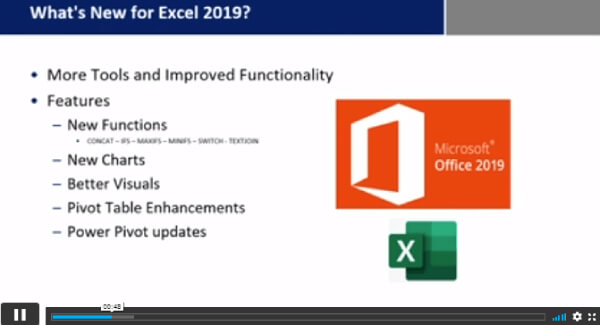
| Microsoft Excel 2019 New Features | |||
| Introduction to Microsoft Excel 2019 New Features | 00:07:00 | ||
| CONCAT | 00:02:00 | ||
| IFS | 00:01:00 | ||
| MAXIFS | 00:01:00 | ||
| MINIFS | 00:01:00 | ||
| SWITCH | 00:02:00 | ||
| TEXTJOIN | 00:01:00 | ||
| Map Chart | 00:02:00 | ||
| Funnel Chart | 00:01:00 | ||
| Better Visuals | 00:06:00 | ||
| Pivot Table Enhancements | 00:02:00 | ||
| Power Pivot Updates | 00:01:00 | ||
| Getting Started with Microsoft Office Excel | |||
| Navigate the Excel User Interface | 00:28:00 | ||
| Use Excel Commands | 00:10:00 | ||
| Create and Save a Basic Workbook | 00:19:00 | ||
| Enter Cell Data | 00:12:00 | ||
| Use Excel Help | 00:05:00 | ||
| Performing Calculations | |||
| Create Worksheet Formulas | 00:15:00 | ||
| Insert Functions | 00:17:00 | ||
| Reuse Formulas and Functions | 00:17:00 | ||
| Modifying a Worksheet | |||
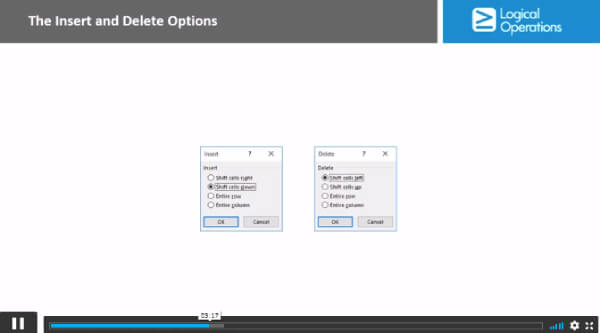
| Insert, Delete, and Adjust Cells, Columns, and Rows | 00:10:00 | ||
| Search for and Replace Data | 00:09:00 | ||
| Use Proofing and Research Tools | 00:07:00 | ||
| Formatting a Worksheet | |||
| Apply Text Formats | 00:16:00 | ||
| Apply Number Format | 00:08:00 | ||
| Align Cell Contents | 00:09:00 | ||
| Apply Styles and Themes | 00:12:00 | ||
| Apply Basic Conditional Formatting | 00:11:00 | ||
| Create and Use Templates | 00:08:00 | ||
| Printing Workbooks | |||
| Preview and Print a Workbook | 00:10:00 | ||
| Set Up the Page Layout | 00:09:00 | ||
| Configure Headers and Footers | 00:07:00 | ||
| Managing Workbooks | |||
| Manage Worksheets | 00:05:00 | ||
| Manage Workbook and Worksheet Views | 00:07:00 | ||
| Manage Workbook Properties | 00:06:00 | ||
| Working with Functions | |||
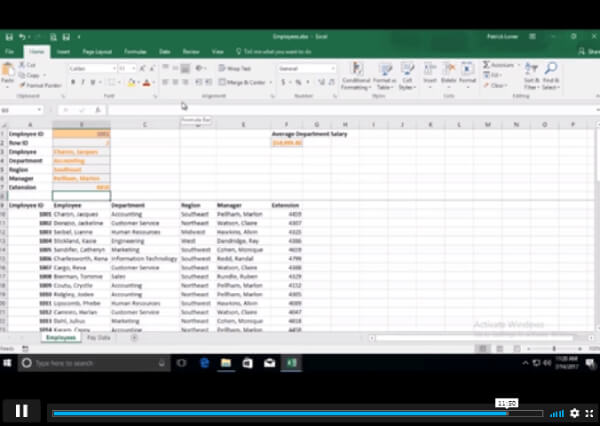
| Work with Ranges | 00:18:00 | ||
| Use Specialized Functions | 00:12:00 | ||
| Work with Logical Functions | 00:24:00 | ||
| Work with Date & Time Functions | 00:08:00 | ||
| Work with Text Functions | 00:11:00 | ||
| Working with Lists | |||
| Sort Data | 00:10:00 | ||
| Filter Data | 00:10:00 | ||
| Query Data with Database Functions | 00:09:00 | ||
| Outline and Subtotal Data | 00:09:00 | ||
| Analyzing Data | |||
| Apply Intermediate Conditional Formatting | 00:07:00 | ||
| Apply Advanced Conditional Formatting | 00:06:00 | ||
| Visualizing Data with Charts | |||
| Create Charts | 00:13:00 | ||
| Modify and Format Charts | 00:12:00 | ||
| Use Advanced Chart Features | 00:13:00 | ||
| Using PivotTables and PivotCharts | |||
| Create a PivotTable | 00:13:00 | ||
| Analyze PivotTable Data | 00:12:00 | ||
| Present Data with PivotCharts | 00:08:00 | ||
| Filter Data by Using Timelines and Slicers | 00:11:00 | ||
| Working with Multiple Worksheets and Workbooks | |||
| Use Links and External References | 00:12:00 | ||
| Use 3-D References | 00:06:00 | ||
| Consolidate Data | 00:06:00 | ||
| Using Lookup Functions and Formula Auditing | |||
| Use Lookup Functions | 00:13:00 | ||
| Trace Cells | 00:09:00 | ||
| Watch and Evaluate Formulas | 00:09:00 | ||
| Sharing and Protecting Workbooks | |||
| Collaborate on a Workbook | 00:20:00 | ||
| Protect Worksheets and Workbooks | 00:08:00 | ||
| Automating Workbook Functionality | |||
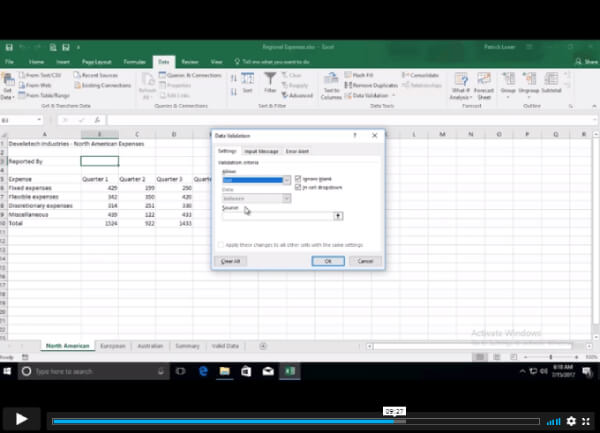
| Apply Data Validation | 00:13:00 | ||
| Search for Invalid Data and Formulas with Errors | 00:04:00 | ||
| Work with Macros | 00:18:00 | ||
| Creating Sparklines and Mapping Data | |||
| Create Sparklines | 00:07:00 | ||
| MapData | 00:07:00 | ||
| Forecasting Data | |||
| Determine Potential Outcomes Using Data Tables | 00:09:00 | ||
| Determine Potential Outcomes Using Scenarios | 00:09:00 | ||
| Use the Goal Seek Feature | 00:04:00 | ||
| Forecasting Data Trends | 00:06:00 | ||
| Excel Templates | |||
| Excel Templates | 00:00:00 | ||
| Assignment | |||
| Assignment – Microsoft Excel | 00:05:00 | ||
$125 Original price was: $125.$20Current price is: $20. ex VAT
SAVE 84% - OFFER ENDS SOON
![]() |
01 Year of full Course access
Level 3
Endorsed Certificate of Compleiton