524 Students
DSE Training (Display Screen Equipment) Level 2 develops knowledge for people who regularly use computers, laptops, tablets, and other screen-based equipment at work. Learners explore workstation setup, ergonomic risks, screen positioning, visual comfort, posture, breaks, mobile working, and digital work habits. It is suitable for office, remote, hybrid, and screen-based workers in Canada. The training helps learners recognise factors that …

DSE Training (Display Screen Equipment) Level 2 develops knowledge for people who regularly use computers, laptops, tablets, and other screen-based equipment at work. Learners explore workstation setup, ergonomic risks, screen positioning, visual comfort, posture, breaks, mobile working, and digital work habits. It is suitable for office, remote, hybrid, and screen-based workers in Canada.
The training helps learners recognise factors that may contribute to discomfort, fatigue, repetitive strain, and musculoskeletal problems. Learners develop knowledge of workstation adjustments, glare control, movement breaks, laptop setup, temporary workstations, workload management, and healthier screen-use practices to support safer working routines.
Online, self-paced learning allows learners to study around work and other commitments. The course presents ergonomic principles clearly and includes an assessment to check understanding. Successful completion can provide a certificate as a training record, while workplace DSE and occupational health requirements may vary by province, territory, employer, and work arrangement.
This course helps learners develop healthier and safer habits when working with display screen equipment.
The course is suitable for people who regularly use computers and other digital devices for work or study.
Once you’ve successfully completed your course, you will immediately be sent a digital certificate. Also, you can have your printed certificate delivered by post (shipping cost £3.99). All of our courses are fully accredited, providing you with up-to-date skills and knowledge and helping you to become more competent and effective in your chosen field. Our certifications have no expiry dates, although we do recommend that you renew them every 12 months.
Good DSE habits can make a noticeable difference when much of the working day is spent at a desk or screen.
DSE training can complement many office-based and screen-intensive roles. Salary ranges vary by province, employer, experience, qualifications, and responsibilities.
The course is designed for beginners and regular screen users who want to improve their understanding of ergonomic working practices.
All of our courses, including this DSE Training (Display Screen Equipment) Level 2, are fully accredited, providing you with up-to-date skills and knowledge and helping you to become more competent and effective in your chosen field.
All of our courses are accredited by the CPD Quality Standards as conforming to universally accepted Continuing Professional Development (CPD) guidelines.

The Quality Licence Scheme (QLS) is a trusted endorsement framework that certifies high-quality, non-regulated training programmes across various sectors.

The Association of Healthcare Trainers (AoHT) promotes high-quality healthcare training, supporting providers to deliver relevant, industry-aligned education and improve professional standards.

The course contains six focused modules covering workstation ergonomics, visual comfort, break management, mobile working, digital workflows, and personal wellbeing.
The introduction explains the importance of safe and comfortable screen use and introduces the ergonomic principles covered throughout the course. Learners consider how workstation design and everyday digital habits can affect workplace comfort.
This module explores how different workstation components can be adjusted to support better posture and comfort. Learners examine chairs, foot support, peripherals, repetitive strain risks, and environmental factors such as lighting, noise, and temperature.
Learners explore screen height, viewing distance, brightness, contrast, resolution, glare, and other factors that can affect visual comfort. The module also covers managing visual fatigue, appropriate screen breaks, and recognising symptoms that should be reported.
This module examines the relationship between prolonged screen use, physical inactivity, mental load, and fatigue. Learners explore microbreaks, task rotation, posture changes, stress signals, cognitive fatigue, and workplace approaches that can support wellbeing.
Learners develop knowledge of using laptops, tablets, phones, and other equipment safely outside a traditional desk setup. The module considers temporary workstations, equipment transport, load management, and employer responsibilities for remote and hybrid DSE users.
This module connects digital efficiency with healthier working habits. Learners explore keyboard shortcuts, input optimisation, file organisation, managing multiple windows, efficient email and messaging habits, and appropriate automation of repetitive digital tasks.
Learners explore everyday habits that can complement healthy screen-based working, including hydration, meal timing, desk-based movement, breathing techniques, and sleep routines. The focus is on maintaining concentration, comfort, and recovery alongside regular screen use.
The conclusion reinforces the key principles covered throughout the course, including workstation setup, visual comfort, movement, mobile working, digital efficiency, and personal wellbeing. Learners consolidate their understanding of healthier screen-use practices before completing the assessment.
It can be suitable for office workers, remote employees, hybrid workers, administrative staff, managers, customer service employees, and anyone who regularly uses screens for work.
The course covers workstation setup, posture, screen positioning, visual ergonomics, breaks, mobile working, digital workflow habits, and factors affecting physical and mental comfort.
A workstation should be adjusted to support a comfortable posture, with the screen, chair, keyboard, mouse, and other equipment positioned to suit the individual. Lighting and glare should also be considered.
Regular changes of activity and movement can help reduce prolonged static posture and screen-related fatigue. Break arrangements should reflect the work being performed and workplace guidance.
Workplace requirements vary by province, territory, employer, and job type. Employers should follow the occupational health and safety requirements that apply to their workplace and work arrangements.
Yes. Ergonomic principles can apply to home and hybrid workstations as well as traditional offices. Remote workers can benefit from reviewing how their laptop, screen, chair, lighting, and work area are arranged.
| Module 01: Ergonomic Principles and Workstation Design | |||
| 1. Introduction | 00:01:00 | ||
| 1.1. Ergonomic Principles and Workstation Design | 00:01:00 | ||
| 1.1.1. Workstation Components and Adjustment Techniques | 00:01:00 | ||
| 1.1.2. Ergonomic Risk Factors and Musculoskeletal Impact | 00:01:00 | ||
| 1.1.3. Task Chair Configuration and Foot Support | 00:01:00 | ||
| 1.1.4. Peripheral Placement and Repetitive Strain Prevention | 00:01:00 | ||
| 1.1.5. The Role of Environmental Factors (Lighting, Noise, Temperature) | 00:01:00 | ||
| Reading Materials | |||
| Section 1 : Ergonomic Principles and Workstation Design | 00:00:00 | ||
| Module 02: Visual Ergonomics and Screen Setup | |||
| 2.1. Visual Ergonomics and Screen Setup | 00:01:00 | ||
| 2.1.1. Eye-Level Positioning and Viewing Distance | 00:01:00 | ||
| 2.1.3. Glare Control and Anti-Reflective Measures | 00:01:00 | ||
| 2.1.4. Vision Break Techniques and Blue Light Exposure | 00:01:00 | ||
| 2.1.5. Visual Fatigue Symptoms and Reporting Procedures | 00:01:00 | ||
| Reading Materials | |||
| Section 2 : Visual Ergonomics and Screen Setup | 00:00:00 | ||
| Module 03: Break Management and Mental Wellbeing | |||
| 3.1. Break Management and Mental Wellbeing | 00:01:00 | ||
| 3.1.1. Planning Microbreaks and Rotation Strategies | 00:01:00 | ||
| 3.1.2. Mental Load and Screen Time Effects | 00:01:00 | ||
| 3.1.3. Activity Switching and Posture Diversity | 00:01:00 | ||
| 3.1.4. Stress Signals and Cognitive Fatigue | 00:01:00 | ||
| 3.1.5. Workplace Design for Mental Health | 00:01:00 | ||
| Reading Materials | |||
| Section 3 : Break Management and Mental Wellbeing | 00:00:00 | ||
| Module 04: Safe Use of Mobile and Hybrid Work Equipment | |||
| 4.1. Safe Use of Mobile and Hybrid Work Equipment | 00:01:00 | ||
| 4.1.1. Laptop Ergonomics for Non-Desk Use | 00:01:00 | ||
| 4.1.2. Transporting Equipment and Load Management | 00:01:00 | ||
| 4.1.3. Temporary Workstations and Agile Setups | 00:01:00 | ||
| 4.1.4. Phone and Tablet Use in Professional Settings | 00:01:00 | ||
| 4.1.5. Employer Responsibilities for Remote DSE Users | 00:01:00 | ||
| Reading Materials | |||
| Section 4 : Safe Use of Mobile and Hybrid Work Equipment | 00:00:00 | ||
| Module 05: Digital Workflow Efficiency and Ergonomic Practices | |||
| 5.1 Digital Workflow Efficiency and Ergonomic Practices | 00:01:00 | ||
| 5.1.1 Shortcut Keys and Input Optimisation | 00:01:00 | ||
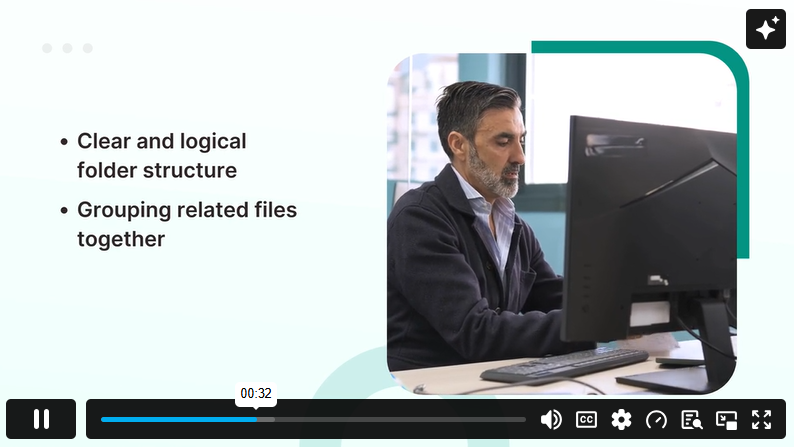
| 5.1.2 File Organisation to Minimise Repetitive Actions | 00:01:00 | ||
| 5.1.3 Reducing Multi-Window Fatigue | 00:02:00 | ||
| 5.1.4 Ergonomic Email and Messaging Habits | 00:02:00 | ||
| 5.1.5 Automating Routine Digital Tasks | 00:02:00 | ||
| Reading Materials | |||
| Section 5: Digital Workflow Efficiency and Ergonomic Practices | 00:00:00 | ||
| Module 06: Personal Health Integration for Screen Workers | |||
| 6.1 Personal Health Integration for Screen Workers | 00:01:00 | ||
| 6.1.1 Hydration Strategies for Sustained Focus | 00:01:00 | ||
| 6.1.2 Nutritional Timing to Support Alertness | 00:01:00 | ||
| 6.1.3 Desk-Based Micro-Stretches | 00:01:00 | ||
| 6.1.4 Breathing Techniques for Calm and Concentration | 00:01:00 | ||
| 6.1.5 Sleep Hygiene for Optimal Screen Recovery | 00:01:00 | ||
| Reading Materials | |||
| Section 6: Personal Health Integration for Screen Workers | 00:00:00 | ||
| Conclusion | |||
| Conclusion | 00:01:00 | ||
$125 Original price was: $125.$20Current price is: $20. ex VAT
SAVE 84% - OFFER ENDS SOON
![]() |
01 Year of full Course access
Level 2
Endorsed Certificate of Compleiton