834 Students
In today’s digital age, strong IT skills are essential for success in almost every profession. The Diploma in Functional Skills IT Level 2 helps learners build practical computer knowledge and develop confidence in using modern technology effectively. By completing this course, you will gain hands-on experience with computer systems, software, and digital tools essential in both personal and professional settings. …
In today’s digital age, strong IT skills are essential for success in almost every profession. The Diploma in Functional Skills IT Level 2 helps learners build practical computer knowledge and develop confidence in using modern technology effectively.
By completing this course, you will gain hands-on experience with computer systems, software, and digital tools essential in both personal and professional settings.
In the UK, IT support professionals and computer technicians typically earn around £27,000 per year (approximately £13–£15 per hour).
The course begins with Section 01: How People Use Computers, exploring how technology supports daily life and business tasks. Section 02 and Section 03 introduce system hardware, device ports, and peripherals. In Section 04, learners discover data storage and sharing methods. Section 05 covers operating systems, followed by Sections 06 and 07, which guide learners through setting up PCs and mobile devices.
Section 08 and Section 09 focus on managing files and using application software, while Section 10 introduces network and internet configuration. Section 11 explains IT security and threat prevention. Sections 12 and 13 develop computer maintenance and troubleshooting skills. Finally, Sections 14 and 15 introduce databases and software development, providing a full picture of IT functionality.
This course has been endorsed by the Quality Licence Scheme for its high-quality, non-regulated training and learning provision. Please note that it is not an accredited qualification and does not fall under Ofqual regulation. If you are seeking formal recognition, such as entry into higher education, your training provider can guide you. Additional details are also available in the Learner FAQs on the Quality Licence Scheme website.
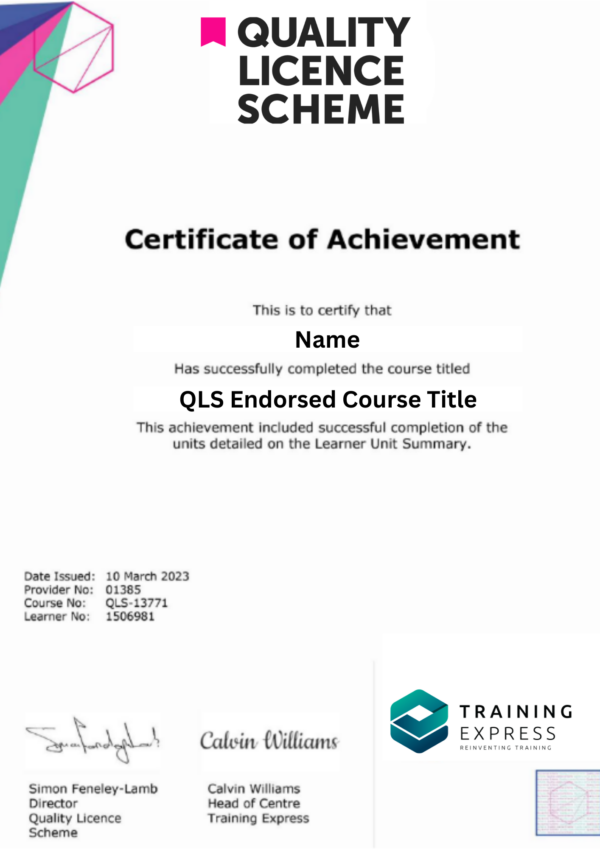
Upon successfully completing the Diploma in Functional Skills IT Level 2 course, learners will have the option to order an endorsed certificate as evidence of their accomplishment. This Certificate of Achievement is endorsed by the Quality Licence Scheme.
In addition, once you successfully complete your course, you will instantly receive a FREE CPD Accredited Digital Certificate.
Online Training Academy (OTA) operates as an authorised reseller of QLS-endorsed courses provided by Training Express Ltd. Learners enrolling through OTA will be assigned their courses within the OTA platform; however, all assessments, certification, and registration processes are managed and administered directly by Training Express Ltd.
1. Beginners wanting to improve practical IT knowledge
2. Job seekers aiming for entry-level IT roles
3. Students preparing for IT or technical studies
4. Professionals updating their computer skills
5. Anyone interested in digital literacy development
1. IT Support Technician
2. Computer Maintenance Assistant
3. Help Desk Operator
4. Data Entry Clerk
5. Systems Administrator Assistant
6. Junior Software Developer
| Section 01: How People Use Computers | |||
| The Case for Computer Literacy | 00:03:00 | ||
| Features Common to Every Computing Device | 00:02:00 | ||
| Common General-Purpose Computing Devices | 00:02:00 | ||
| Networks of Computing Devices | 00:04:00 | ||
| Remotely-Accessed Computer Systems | 00:04:00 | ||
| Specialized Computer Systems | 00:02:00 | ||
| Specialty I/O Devices | 00:01:00 | ||
| Section 02: System Hardware | |||
| CPUs | 00:03:00 | ||
| Passive and Active Cooling | 00:03:00 | ||
| RAM and Active Memory | 00:05:00 | ||
| Motherboards | 00:03:00 | ||
| Power Supplies | 00:03:00 | ||
| AMA – Ask Me Anything about System Hardware | 00:07:00 | ||
| Section 03: Device Ports and Peripherals | |||
| Ports and Connectors | 00:03:00 | ||
| General Use I/O Devices | 00:03:00 | ||
| AMA – Ask Me Anything about I/O, Ports and Peripherals | 00:07:00 | ||
| Section 04: Data Storage and Sharing | |||
| Basics of Binary | 00:03:00 | ||
| Storage Technologies | 00:04:00 | ||
| Mass Storage Variation | 00:03:00 | ||
| AMA – Ask Me Anything about Data Storage and Sharing | 00:07:00 | ||
| Section 05: Understanding Operating Systems | |||
| Operating System Functions | 00:04:00 | ||
| Operating System Interfaces | 00:05:00 | ||
| AMA – Ask Me Anything about Understanding OS’s | 00:05:00 | ||
| Section 06: Setting Up and Configuring a PC | |||
| Preparing the Work Area | 00:02:00 | ||
| Setting up a Desktop PC | 00:01:00 | ||
| Completing PC Setup | 00:04:00 | ||
| AMA – Ask Me Anything about Setting up and Configuring a PC | 00:09:00 | ||
| Section 07: Setting Up and Configuring a Mobile Device | |||
| Personalizing a Tablet | 00:08:00 | ||
| AMA – Ask Me Anything about Mobile Devices Part 1 | 00:07:00 | ||
| AMA – Ask Me Anything about Mobile Devices Part 2 | 00:07:00 | ||
| Section 08: Managing Files | |||
| File Management Tools | 00:02:00 | ||
| File Manipulation | 00:06:00 | ||
| Backups | 00:03:00 | ||
| AMA – Ask Me Anything about Managing Files | 00:08:00 | ||
| Section 09: Using and Managing Application Software | |||
| Walking Survey of Applications | 00:03:00 | ||
| Managing Applications | 00:03:00 | ||
| Applications and Extensions | 00:04:00 | ||
| AMA – Ask Me Anything about Working with Applications | 00:07:00 | ||
| Section 10: Configuring Network and Internet Connectivity | |||
| Wi-Fi Setup | 00:06:00 | ||
| Going High Speed | 00:03:00 | ||
| Setting Up and Sharing Printers | 00:05:00 | ||
| AMA – Ask Me Anything about Networks and Internet Connectivity Part 1 | 00:07:00 | ||
| AMA – Ask Me Anything about Networks and Internet Connectivity Part 2 | 00:05:00 | ||
| Section 11: IT Security Threat Mitigation | |||
| Physical Security | 00:05:00 | ||
| Dealing with Malware | 00:03:00 | ||
| Password Management | 00:03:00 | ||
| Clickworthy | 00:03:00 | ||
| Perils of Public Internet | 00:02:00 | ||
| AMA – Ask Me Anything about IT Threat Mitigation Part 1 | 00:07:00 | ||
| AMA – Ask Me Anything about IT Threat Mitigation Part 2 | 00:08:00 | ||
| Section 12: Computer Maintenance and Management | |||
| Power Management | 00:02:00 | ||
| Cleaning and Maintaining Computers | 00:02:00 | ||
| Trash it or Stash it? | 00:02:00 | ||
| AMA – Ask Me Anything about Computer Maintenance and Management | 00:11:00 | ||
| Section 13: IT Troubleshooting | |||
| Troubleshooting 101 | 00:03:00 | ||
| AMA – Ask Me Anything about Troubleshooting Computers Part 1 | 00:10:00 | ||
| AMA – Ask Me Anything about Troubleshooting Computers Part 2 | 00:11:00 | ||
| Section 14: Understanding Databases | |||
| Introduction to Databases | 00:06:00 | ||
| Database Details | 00:06:00 | ||
| AMA – Ask Me Anything about Databases | 00:06:00 | ||
| Section 15: Developing and Implementing Software | |||
| Introduction to Programming | 00:04:00 | ||
| Programming with a PBJ Sandwich | 00:08:00 | ||
| AMA – Ask Me Anything about Databases | 00:06:00 | ||
| Mock Exam | |||
| Mock Exam – Diploma in Functional Skills IT at QLS Level 2 | 00:20:00 | ||
| Final Exam | |||
| Final Exam – Diploma in Functional Skills IT at QLS Level 2 | 00:20:00 | ||
$186.07 ex VAT
SAVE 0% - OFFER ENDS SOON
![]() |